
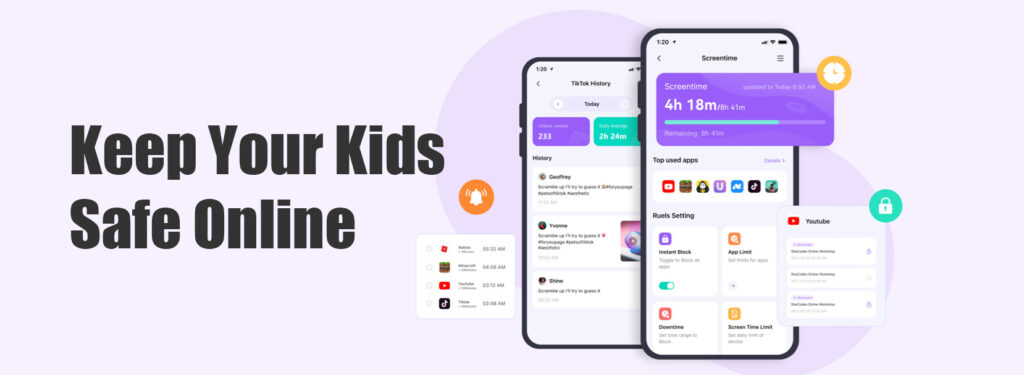
Looking for the best hidden parental control app for Android? mSpy works invisibly, tracks texts, GPS, social media & more. Keep your child safe without them knowing. If you want a free app to monitor and control your child’s Android device, this article won‘t suit you. That’s because your requirement is a contradiction – no such app currently exists on the market.
In the United States, youth violent crime has generally declined over the past two years, but specific types such as carjacking and cybercrime remain above pre-pandemic levels. In Europe, most countries have seen a slight increase in youth crime rates, driven primarily by knife crime (in the UK) and cybercrime (in Germany and the Nordic countries). Violence linked to social media, online fraud, and illegal acts caused by adolescent mental health issues have all increased significantly worldwide.
Real-life case
On April 19, China Central Television (CCTV) disclosed details of a major illegal border crossing case. Police and the coast guard in Qinzhou, Guangxi, cracked the case and arrested a total of 68 people. Shockingly, a final‑year high school student from a key school in Changsha was among those arrested. Police revealed that when they apprehended him, his WeChat wallet balance was over 200,000 yuan. His parents were also astonished – a top student from a key high school, about to take the college entrance exam next year, actually became an accomplice to a human smuggler. It was unbelievable. This student was responsible for recruiting people online. It is said that many illegal border crossers were arranged to go to sea through his contacts. Even more unacceptable is the strong trend of using minors in criminal smuggling activities – “main force” recruiters as young as 16 to 18 years old have appeared.

A question keeps coming to my mind: when a high school student is arrested with a WeChat balance of over 200,000 yuan, how did such a huge amount of illegal money flow quietly into the campus? When a mentally immature child faces this kind of huge profit temptation – comparable to an adult’s annual salary – can a few law‑education classes really stop them? Definitely not. It is heartbreaking that a child goes astray, and both family education and school guidance bear undeniable responsibility. This case serves as a wake‑up call for all parents: don’t just focus on your child’s report card, pay more attention to the phone in their hand – especially their social circles and unusual spending. Faced with the endless temptations on campus today, how should we design fraud prevention education so that children truly listen and strictly follow?
As a parent in the digital age, keeping your children safe online has never been more challenging. From social media risks and cyberbullying to secret apps and location sharing, the threats are real – and they exist on Android smartphones. That‘s why choosing the best parental control app for Android is essential.
Children could have avoided mistakes
Every child has a different level of self‑control. Some can hold the line and never touch illegal or criminal acts. But some children, unable to resist pressure or temptation, go astray and make unforgivable mistakes, thus taking on corresponding legal responsibility. I believe parents bear the greatest responsibility for a child’s mistakes. How can we prevent problems before they happen? How can we let children grow and learn in a healthy and safe environment? My suggestion is to start with the child’s phone.
As parents, we have our own duties and responsibilities to ensure the safety of every family member. But we have our own things to do, and we cannot watch our children 24/7. Whether a boy or a girl, once they have a phone, it never leaves their side. That means all of the child’s activities can be traced through the phone. But as parents, we can’t constantly check their phones, can we? I believe more than 80% of children are unwilling to let parents look through their phones – they will get upset and even argue, claiming privacy invasion.
The best solution: Install parental control software on the child’s Android phone
To better protect our children, we must keep them away from criminals and harmful online information. The key is to prevent problems before they happen. So what exactly should we do? I suggest installing parental control software on the child’s Android phone. In my opinion, it is best to install such apps without the child’s knowledge. If the child knows, they may try every way to evade parental tracking, and parents will not get true, valuable information. After all, the child’s safety is the most important thing. There are many such apps on the market, but only a handful actually work. Some lure traffic under the guise of “free”, some merchants boast about how powerful their apps are, and some simply don’t work at all.
To save your time, I will recommend an best hidden parental control software for Android that I have personally tested. Its functions match the official description, and user reviews are genuine. By the way, this app can be hidden, so after installation, no app icon will appear on the child’s phone menu.
Best hidden parental control app for Android – mSpy
As a parent in the digital age, keeping your children safe online has never been more challenging. From social media risks and cyberbullying to secret apps and location sharing, the threats are real – and they exist on Android smartphones. That‘s why choosing the best parental control app is essential. For Android users specifically, finding the best hidden parental control app for Android can make all the difference in truly understanding your child‘s online behavior.
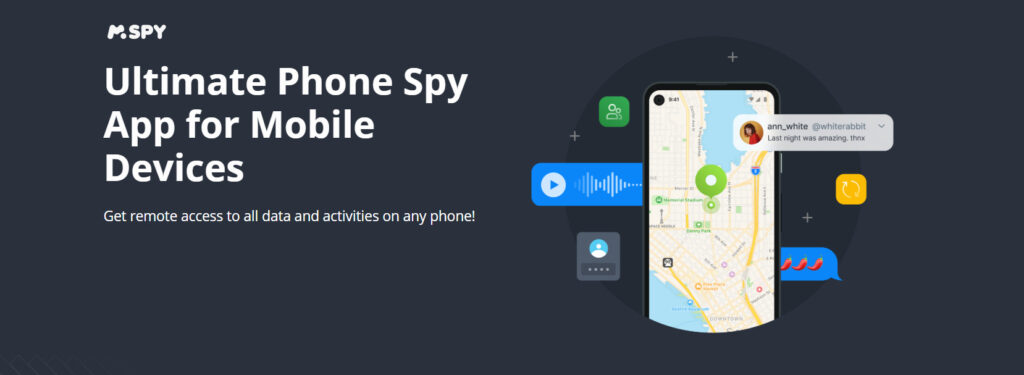
After extensive testing and research, mSpy stands out as the most comprehensive, reliable, and feature‑rich parental control solution for both iOS and Android platforms. Many parents consider it the best hidden parental control app for Android because of its invisible operation mode.
Why mSpy Is the #1 Choice for Parents
Unlike many apps that work only on one operating system, mSpy offers full cross‑platform support. Whether your child uses an iPhone (even without jailbreak) or an Android smartphone, mSpy delivers powerful monitoring features with a user‑friendly dashboard. On Android, it functions as a hidden app that runs completely in the background without any visible icons.
Key Features That Make mSpy the Best
1. Monitor Social Media & Messaging Apps
mSpy lets you view messages from WhatsApp, Facebook Messenger, Instagram Direct, Snapchat, Telegram, Tinder, Line, Viber, and more. You can see who your child is talking to, what they share, and even detect suspicious language.
2. GPS Location Tracking & Geofencing
Get real‑time location updates and set up safe zones. Receive instant alerts when your child enters or leaves a designated area. This works as undetectable parental monitoring Android because mSpy does not trigger any notification or indicator.
3. Call Logs & Contacts
See incoming and outgoing calls, along with timestamps and durations. You can also view saved contacts and spot unknown numbers.
4. Text Messages (SMS) & iMessages
On Android, mSpy captures all sent and received SMS. On iPhone (non‑jailbroken), it syncs iMessages via iCloud credentials. Parents who need a secret spy app for child’s phone will find mSpy‘s Android version ideal, as it records every text without the child ever knowing.
5. Browser History & Block Websites
Check which websites your child visits and block inappropriate content like adult sites, gambling, or violence.
6. Screen Time & App Blocking
Limit how long your child can use certain apps or the entire device. Perfect for enforcing bedtime or study hours.
7. Keylogger (Android only)
Record every keystroke typed on the device – useful for discovering passwords or hidden conversations. This feature helps you track texts and GPS without root access, making mSpy one of the few solutions that require no rooting.
8. Remote Control via Control Panel
All data is uploaded to your private mSpy account, accessible from any web browser or the mSpy mobile app. No need to touch your child‘s phone after the initial setup. The app provides Android parental control no icon – once installed, the launcher icon disappears, and the app runs stealthily in the background.
Works on Both iPhone and Android – How?
| Feature | iPhone (No Jailbreak) | Android |
|---|---|---|
| iMessages / SMS | ✓ (via iCloud) | ✓ |
| Social media monitoring | ✓ (limited by iOS) | ✓ (full) |
| GPS location | ✓ | ✓ |
| Call logs | ✓ | ✓ |
| Browser history | ✓ | ✓ |
| Keylogger | ✗ | ✓ |
| App blocking | ✓ (via Screen Time) | ✓ |
| Geofencing | ✓ | ✓ |
Note for iPhone users: mSpy on Android truly shines as a best hidden parental control app for Android, while the iPhone version relies on iCloud sync and does not offer the same stealth level without jailbreak.
Easy Setup – Even for Non‑Tech Parents
- For Android: Download the mSpy app directly on the target phone (requires physical access for a few minutes). The installation can be set to Android parental control no icon mode – the app icon is hidden from the app drawer, and no background notification appears.
- For iPhone: Enter the Apple ID and password linked to the child‘s iCloud. mSpy syncs backup data automatically – no installation on the phone itself.
Once installed, you can monitor everything from your own device (Phone, Computer or Tablet) without ever being detected. Many mSpy review articles praise its stealth capabilities and reliability.
Why Parents Trust mSpy
✅ Over 1.5 million users worldwide
✅ 24/7 customer support (live chat, email, phone)
✅ 100% discreet operation – the app runs invisibly on Android and leaves no trace on iPhone
✅ Regular updates to keep up with new iOS and Android versions
✅ Compliance – mSpy is designed for legal use (you must own the device or have parental consent)
For parents who want to monitor kids secretly, mSpy delivers the perfect balance of transparency for you and invisibility for your child.
Pricing & Plans
mSpy offers three flexible subscription plans:
- 1 month – around $48.99
- 3 months – around $79.99
- 12 months – around $119.99 (best value)
All plans include a 14‑day money‑back guarantee. No hidden fees.
Final Verdict
If you are looking for the best parental control app Android phone, mSpy delivers unmatched features, ease of use, and reliability. For Android users specifically, it stands out as the best hidden parental control app for Android – a mSpy hidden app that offers undetectable parental monitoring on Android, acting as a true secret spy app for child’s Android phone to track texts and GPS without root, providing Android parental control no icon, as confirmed by every honest mSpy review. It gives you the ability to monitor kids secretly without invading their daily experience – just the right balance to keep them safe from online predators, explicit content, and digital addiction.
Protect your child today. Try mSpy risk‑free.






Leave a Reply